Alex Jackson · October 20, 2026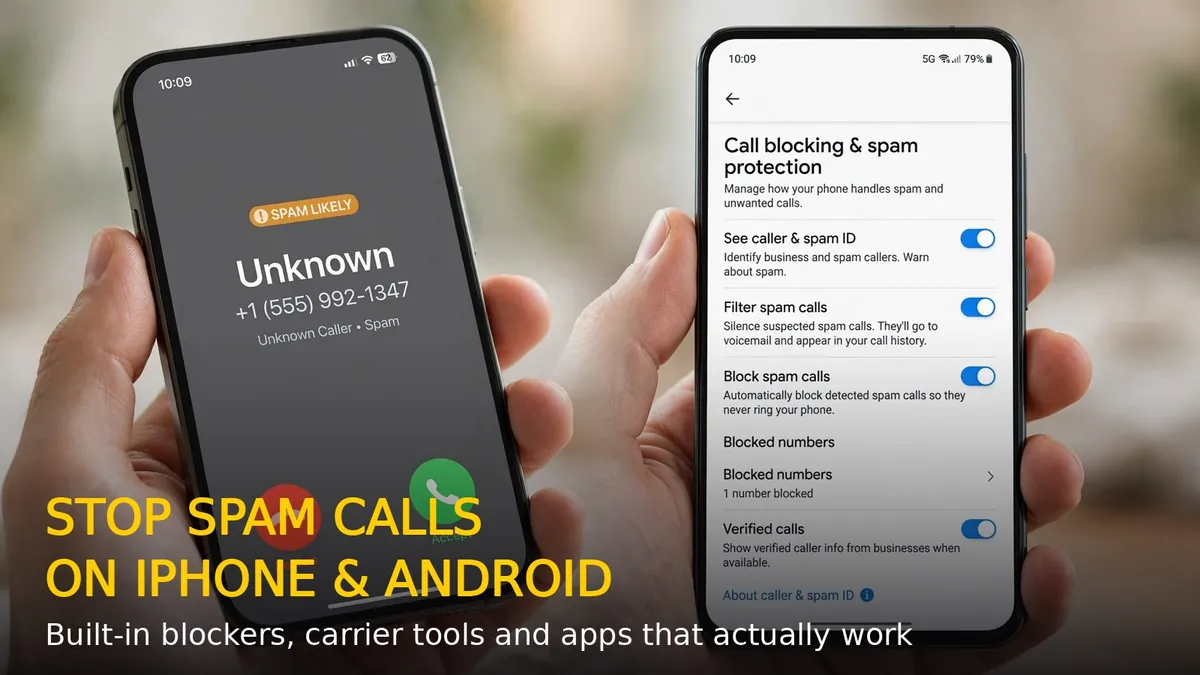
Robocalls and spam calls are out of control — fake bank alerts, “your package is stuck” scams, and silent calls that hang up the moment you answer. Americans alone receive billions of spam calls every month, and India is no better. The good news: both iPhone and Android now ship with powerful built-in spam blockers, and your carrier probably offers a free filtering tool too. Here is how to stop spam calls on iPhone and Android in 2026, step by step.
How to Block Spam Calls on iPhone
Step 1: Turn on Silence Unknown Callers
This is the single most effective iPhone setting. Go to Settings > Phone > Silence Unknown Callers and toggle it on. Calls from numbers not in your contacts, recent calls, or Siri Suggestions go straight to voicemail without ringing. Legitimate callers can still leave a message.
Step 2: Use Live Voicemail to screen callers
On iPhone with iOS 17 or later, go to Settings > Phone > Live Voicemail and turn it on. When an unknown number calls, you will see a live transcript of their voicemail as they speak — pick up only if it is someone real, and let the robots talk to your voicemail.
Step 3: Block and report individual numbers
Open the Phone app, tap the Recents tab, tap the i next to a spam number, scroll down, and tap Block this Caller. On the same screen you can also report it as spam, which helps Apple and carriers improve their filters.
Step 4: Activate your carrier’s free spam filter (USA)
US carriers all offer free robocall blocking — turn it on:
- AT&T: ActiveArmor app — free spam and fraud call blocking
- T-Mobile: Scam Shield — free, blocks scam calls at the network level
- Verizon: Call Filter app — free spam detection and blocking
These work at the network level, so many spam calls never even reach your phone.
How to Block Spam Calls on Android
Step 1: Turn on spam protection in the Phone app
Open the Google Phone app (the default dialer on Pixel and most Android phones), tap the three-dot menu > Settings > Spam and Call Screen, and enable See caller and spam ID plus Filter spam calls. Suspected spam calls are silenced automatically and sent to voicemail.
Step 2: Use Call Screen on Pixel phones
Pixel owners get the best tool of all: Call Screen. In Phone app Settings > Spam and Call Screen > Call Screen, set unknown numbers to be screened automatically. Google Assistant answers, asks who is calling and why, and shows you a live transcript — you decide whether to pick up, all without saying a word.
Step 3: Block numbers manually
Long-press any number in your call history and tap Block / Report spam. Reporting helps Google’s spam database protect everyone else too. On Samsung phones, the same option lives in the Phone app under Recents > number > Block.
Step 4: Check your carrier’s spam tools
Just like on iPhone, carrier apps (Jio, Airtel, and Vi in India; AT&T, T-Mobile, and Verizon in the USA) offer free spam filtering — install your carrier’s app and enable its call-protection feature for a second layer of defense.
Best Spam-Blocking Apps Worth Installing
If built-in tools are not enough, these apps add crowd-sourced spam databases with millions of reported numbers:
- Truecaller — the largest spam-number database; identifies unknown callers in real time on both iPhone and Android
- Hiya — clean, fast spam detection with business caller ID
- RoboKiller — answers spam calls with bots that waste the scammers’ time (USA focused)
On iPhone, enable them under Settings > Phone > Call Blocking & Identification after installing.
Extra Habits That Cut Spam Calls in Half
- Never answer unknown numbers — answering confirms your number is active and invites more calls
- Do not press any keys on a robocall (“press 1 to unsubscribe”) — it marks you as a live target
- Register on the National Do Not Call Registry (donotcall.gov in the USA) or enable DND with your carrier in India
- Do not share your number on public forms, giveaways, or shady websites
- Use a secondary number (Google Voice or a virtual number) for online sign-ups and deliveries
What to Do If Spam Calls Keep Coming
If the flood continues despite blockers, your number may have leaked in a data breach. In that case: tighten every filter to maximum, route all unknown callers to voicemail for a few weeks, and consider asking your carrier for a number change as a last resort. Report persistent scam numbers to your country’s cybercrime portal — in the USA, report to the FTC at reportfraud.ftc.gov; in India, to the Chakshu portal or by calling 1930.
With Silence Unknown Callers or Spam and Call Screen enabled plus your carrier’s free filter, most people see spam calls drop by 80–90% within days. Set it up once, and your phone finally rings only for people you actually want to hear from.
RELATED STORIES